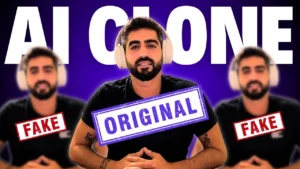
How to Create Your Own AI-Powered Digital Twin: A Complete Step-by-Step Guide
Imagine publishing a month’s worth of videos in a single afternoon—without ever turning on your camera. Imagine a digital version of you that talks, teaches, presents, and creates content while you sleep.
This guide will walk you through how to create your own AI digital twin using HeyGen. By the end, you’ll know exactly how to build a clone that looks, moves, and speaks like you—capable of automating your entire content pipeline.
The Rise of Digital Twins in Content Creation
Traditional content creation used to involve:
- Setting up cameras and lighting
- Multiple takes
- Hours of editing
- Strict scheduling
AI-powered avatars eliminate these limitations. Your digital twin can:
- Record videos anytime
- Speak any language
- Present any script
- Produce unlimited content
- Work nonstop, even while you’re offline
This marks one of the biggest revolutions in modern content creation.
Quick Comparison: Traditional Content Creation vs. AI Digital Twin
| Task | Traditional Workflow | With an AI Digital Twin |
|---|---|---|
| Filming videos | Requires camera, lights, setup | Fully automated |
| Recording time | Hours per video | Seconds to generate |
| Retakes | Frequent | None |
| Consistency | Varies | Always consistent |
| Language support | Limited | Any language |
| Productivity | Limited by your time | 24/7 output |
Tools You’ll Need (with links)
| Tool | Purpose | Link |
|---|---|---|
| HeyGen | Create, train, and use your digital twin | https://www.heygen.com |
| ChatGPT | Generate scripts for your avatar | https://chat.openai.com |
| Optional: Lighting gear | Improves video quality | Amazon search: “softbox lighting kit” |
| Optional: External microphone | Records clearer audio | Amazon search: “USB condenser microphone” |
Step 1: Log In to HeyGen
Start here:
👉 https://www.heygen.com
Once you’re logged in:
- Open the sidebar
- Click Avatars
- Select Digital Twin
- Click Get Started
This feature allows you to begin training your AI clone.
Step 2: Follow the Recording Requirements
HeyGen provides detailed instructions, but here’s a clean summary of what they recommend:
Recommended Recording Guidelines
| Requirement | Why It Matters |
|---|---|
| Good camera or webcam | Captures accurate facial features |
| Clear microphone | Ensures your voice model sounds natural |
| Proper lighting | Improves clarity and realism |
| Neutral background | Helps AI focus on your face |
| Steady posture | Enhances motion accuracy |
| Natural gestures | Makes the avatar feel human |
Speak clearly, maintain eye contact, and keep your head steady.
Step 3: Choose Your Recording Method
HeyGen offers three ways to record:
| Recording Option | Ideal For |
|---|---|
| Upload video | If you already have footage prepared |
| Webcam recording | Simple and fast setup |
| Phone recording | High-quality phone cameras and flexibility |
Record yourself reading the short on-screen script so the AI can learn your voice and expressions.
Step 4: Let HeyGen Analyze Your Footage
Once you finish recording, HeyGen checks:
- Lighting
- Background quality
- Clarity
- Motion
- Stability
Even if everything isn’t perfect, you can usually proceed.
Submit your video, name your avatar, accept the terms—and HeyGen begins processing.
Once finished, your AI clone will appear in your avatar library.
Step 5: Start Creating Videos Using Your Digital Twin
After your avatar is ready:
- Click Create → Create a Video
- Enter AI Studio
- Click the avatar icon → Replace Avatar
- Choose your new digital twin
Your clone now appears in the preview window.
Choose your preferred video format:
- Landscape for YouTube and presentations
- Portrait for TikTok, Reels, and Shorts
Select Original framing for the most natural results.
Step 6: Write a Script and Generate Your Video
This is where the process becomes effortless:
- Go to ChatGPT
Ask: “Write a script for a video about [your topic].” - Copy the script
- Paste it into HeyGen’s text box
- Click Generate Video
Your digital twin will instantly start speaking your script with your voice, tone, and facial expressions.
What You Can Do With Your Digital Twin
A digital twin gives you the ability to:
| Use Case | Description |
|---|---|
| YouTube videos | Publish content without filming |
| Online courses | Let your AI teach modules |
| Business pitches | Deliver polished presentations |
| Explainer videos | Create tutorials and guides |
| Short-form content | Mass-produce TikTok or Reels videos |
| Faceless content | Build channels without showing up daily |
This tool is ideal for creators, entrepreneurs, educators, marketers—anyone who wants to scale their content.
Final Thoughts
You now know how to create one of the most powerful tools in modern content creation: your own AI digital twin. This isn’t the future—it’s happening right now.
Creators and businesses who embrace AI today will be far ahead tomorrow.
If you want more tutorials on AI tools, automation, and faceless content creation, explore the rest of my guides and videos.
Your second self is ready.
Now it’s time to put it to work.